Overview
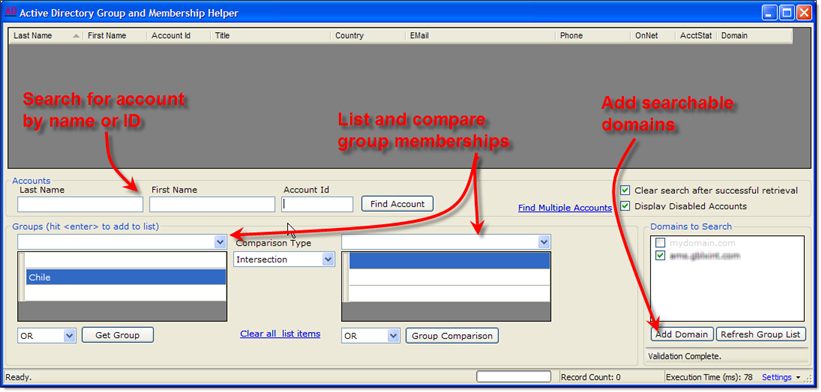
This simple-to-use tool is designed to be distributed to a broad audience of users, both technical and non-technical, as a means to easily query Active Directory for user information and group member details.
Single User Results
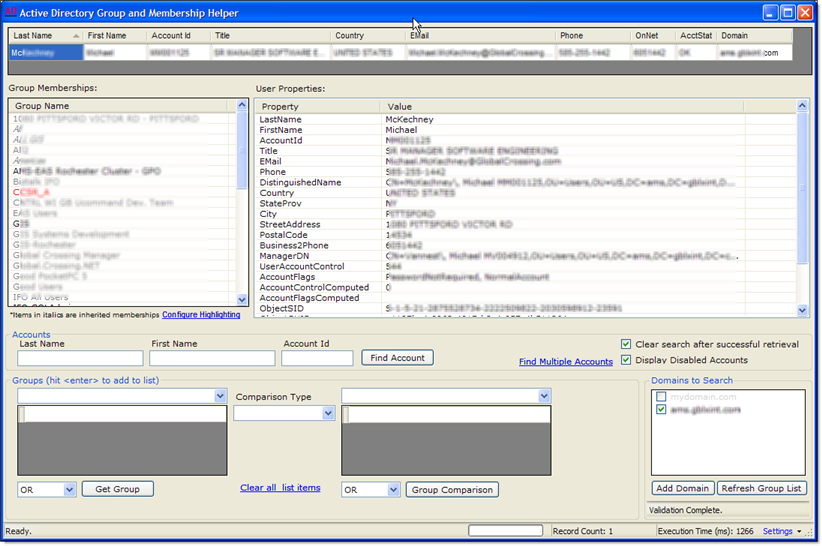
When only one user is returned in the results, the display will change to show that user's details including their list of group memberships (different organizational unit and distribution list entries can be color coded) as well as their list of properties.
Details returned include:
- Name
- Account ID
- Title
- Plus more…
Management Chain and Multiple Copy Features
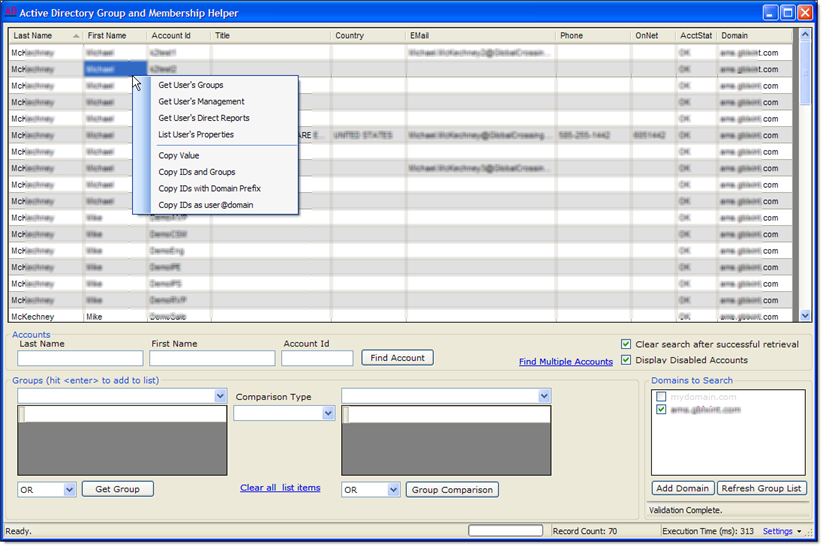
With a right-click menu pop-up, you can get additional details on the user and his/her management chain as well as copy lists in several formats for pasting into other tools. You can always copy data from the result grid by selecting the cell(s) and using Ctrl+C.
Link to Your Organization's Online Directory
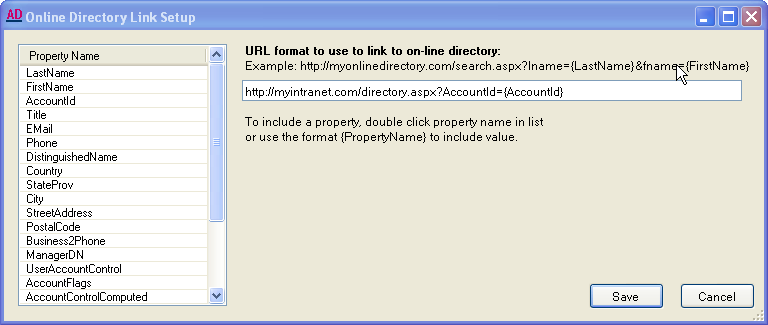
Using Settings → Configure Online Directory Link Format, you can enable linking into your organization's online user directory. This is especially handy if your organization doesn't keep a fully populated directory listing (such as a management tree). The directory just needs to have a configurable search URL!